
CRM, calls, timer, tasks, clipboard, analytics and a client page — all in one place.
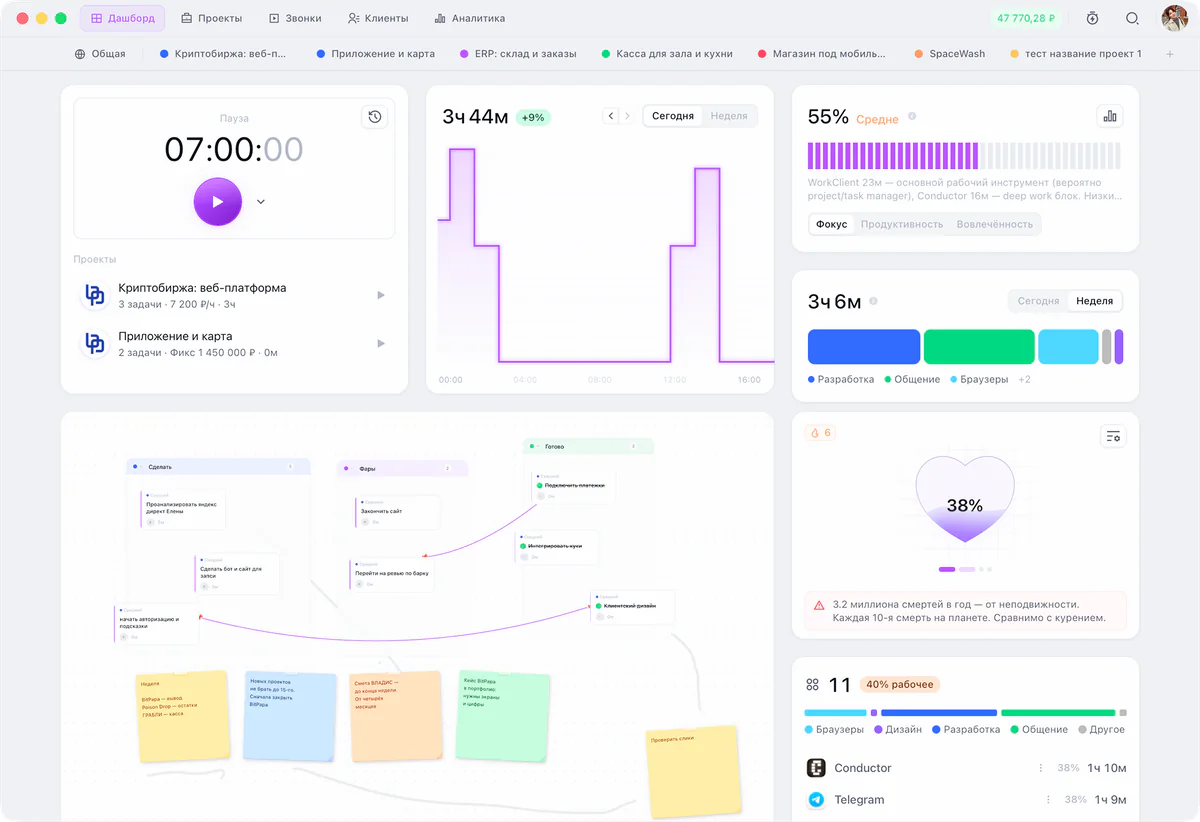
It gathers your work from what you already use
Features
Everything that used to sit in six apps
Timer, projects and tasks, board, clients, calls, invoices and analytics — in one window on your Mac.
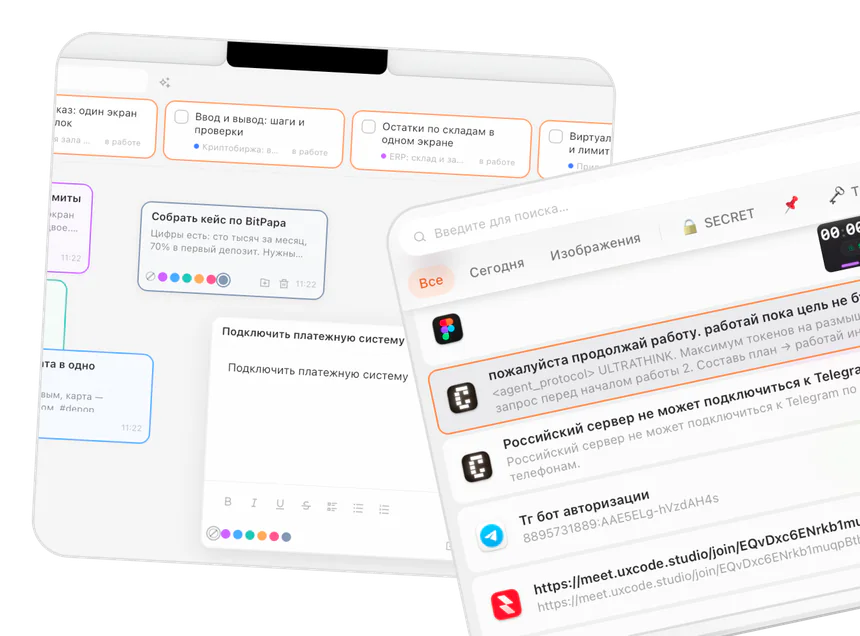
Lives on your Mac
The app works without the internet. The only thing that goes to the cloud is what you opened to your client.
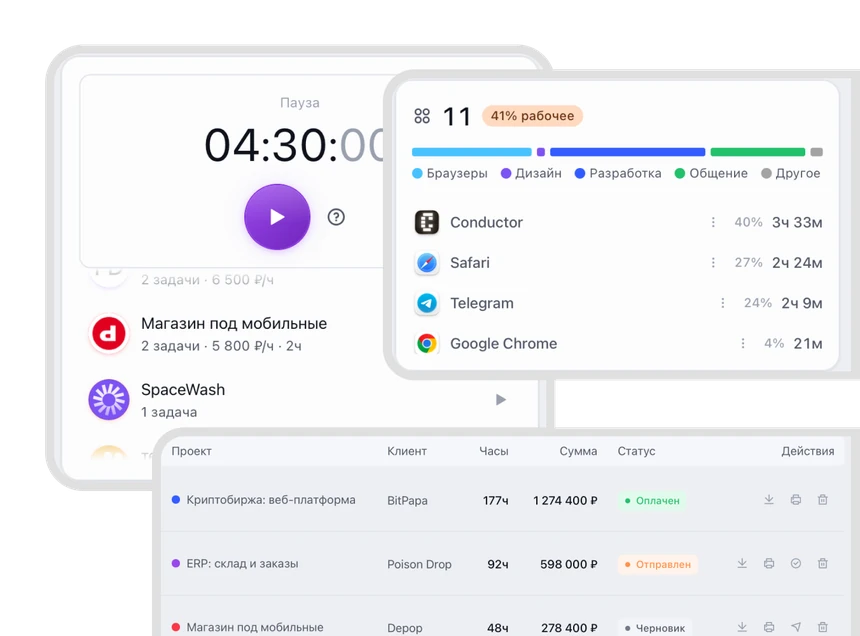
An invoice from the hours you worked
Rates, hours and a fixed price come together in one invoice. There is no need to move time into a spreadsheet.
Works with no window
Time and earnings live in the menu bar. Notes sit on the island by the notch. Clipboard history is one keyboard shortcut away. Pomodoro and the day’s review are right there.
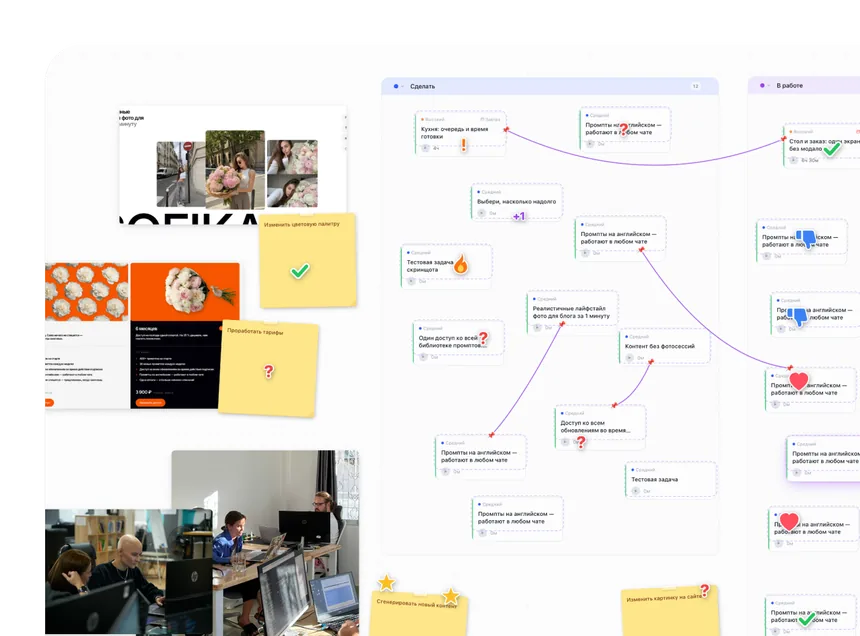
A board instead of a task list
Stickies, links and status stamps. A task moves from the board into the kanban and back — nothing has to be carried by hand.
Free and linked stickies
Stamps: in progress, in review, done
A board of its own for every project
Light and dark theme








Who it is for
For everyone who has clients
Freelancers, studios, agencies and contractors —
everyone who runs projects, counts hours and sends invoices.
6 apps
in one window
0 ₽
while development is open
100%
of data on your Mac
1 link
and the client sees it all

Designer
Runs 3–4 projects
The timer runs while you draw. The client opens a link and sees how many hours went into the layout and what is in progress now.

A small studio
Two or three on the team
Everyone has their own timer and their own rate. The owner sees the whole picture, an employee sees only their own.

Illustrator
A fixed price per project
A fixed price and hours live in the same project — you see at once whether you went under.

Developer
Hourly rate
An hour turns into an invoice line by itself. Every project has its own rate.





Questions
Answers to the usual questions
If you still have questions after that —
just write to us in whatever way suits you.
What is WorkClient?
A Mac app that holds all your client work: projects and tasks, time and rates, the board, calls, invoices and analytics. One window instead of five or six separate apps.
Where is my data kept?
On your own computer. The app works without the internet. The only thing that goes to the cloud is what you opened to your client by link.
Does my client need an account?
No. You send a link, the client opens it and enters a short code if they want to. No sign-up, no password.
Where does the call summary come from?
The call happens inside the app. Afterwards you get a short summary: what you agreed on, what you decided and which tasks came out of it. The tasks land in the project straight away.
What does it cost?
While the app is in development it is free. When the tiers arrive, anyone working alone keeps a free level.
Try it yourself
Start your first project today
Stop explaining to your client what
you did all week.