
You open the laptop in the morning and the timer says fourteen hours. Two of them are real. The rest is a laptop that stayed awake while you had dinner and went to bed.
Do not delete the entry. That is the first instinct and it is the wrong one: deleting it throws away the two hours you actually worked, and those hours were paid for with your evening. Fix the end time instead.
In our agency, contractors on hourly work lost about a tenth of billed time to timers nobody stopped. Not fraud — inattention. The client cannot tell the difference, which is exactly why it has to be caught on your side.
Three ways to fix an overnight entry
Once you see the fourteen-hour block, you have three honest moves:
- Cut the idle tail when you finished, closed the laptop lid and walked off. The work stopped when you stopped.
- Keep the interval when the machine was busy on the client’s job — a render, a build, a video export — and you could not take other work meanwhile. Agree on this in writing before it happens, not after.
- Set the end time by hand: look at your sent mail or your last commit. If the files went out at 19:40, that minute is the end of the task.
Most trackers let you edit an entry straight from the day’s list. Do it the next morning, while you still remember what happened.
Three minutes of idle, not fifteen
Idle detection is the guardrail. The threshold you pick decides how much accidental time ends up in the client’s week.
Fifteen or thirty minutes feels comfortable and costs the client money. You leave the desk constantly — a glass of water, a parcel, a call. At a fifteen-minute threshold each of those quietly adds a billed quarter of an hour.
Three minutes without keyboard or mouse pauses the clock. Touch the trackpad and it resumes. If the gap runs longer, the tracker should ask what to do with it rather than decide for you.
Sleep is the other half of the same rule. If the lid closed at 18:00 and opened at 09:00, those fifteen hours were never work, and no tracker should need to be told that twice.
Thinking is not typing
Strict idle detection stops runaway clocks and creates a new problem: real work often has no input at all. An architect reads a printed plan. An editor works through a manuscript on paper. A developer draws a diagram in a notebook.
An automatic system sees zero keystrokes and assumes the desk is empty. The way out is not a looser threshold but a separate list: flagged stretches are set aside rather than deleted, and in the evening you decide.
You open the list and see 14:15–14:45, no input. Half an hour reading a brief
goes back to the project. Half an hour at lunch does not. Two minutes of
deciding beats an argument on invoice day.
Where the automation gives up
- Background jobs slip through. The machine is exporting a 4K reel, you touch nothing, and the system calls you idle while the hardware works for that client alone.
- A client call on the phone leaves the computer untouched. The most billable hour of the week reads as a pause.
- Reading window titles on macOS requires Accessibility access. After an update the old entry can stay in the list and quietly stop working; the smart part of the timer goes blind until you remove that entry and add the app again.
Software should not make the final billing decision on its own. It flags and suggests; the record is confirmed by a person.
Every tool fixes it differently
In a spreadsheet, fixing an overnight entry means editing two cells and rechecking the sum by hand. In Toggl Track or Harvest you open the day’s timeline and drag the edge of the block.
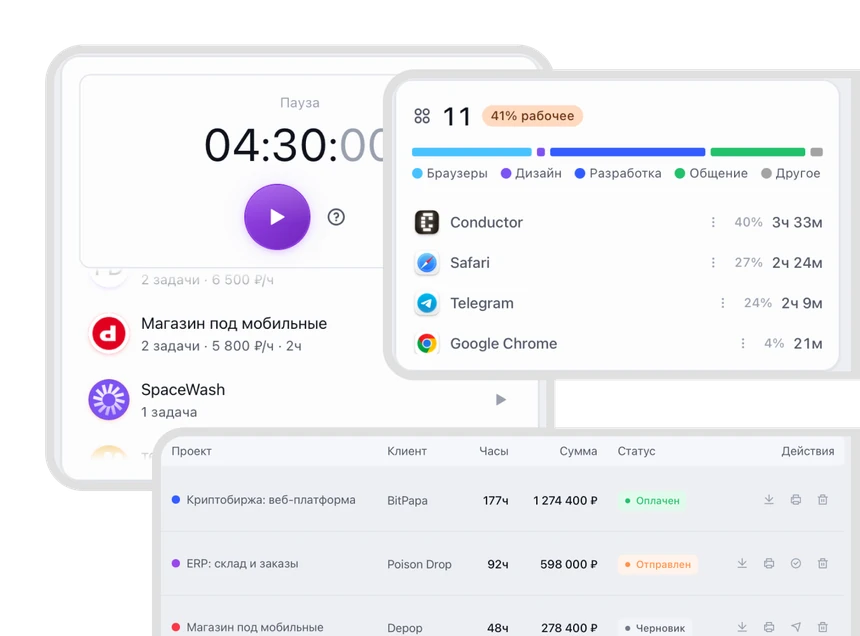
WorkClient asks after fifteen minutes of silence what to do with the gap — cut it, keep it, or set the time by hand — and flagged stretches land in a separate list you clear in the evening. Any of this works in a spreadsheet too; the tool only decides how many clicks it takes.
The invoice already went out
Do not wait for the client’s accountant to find it. Write first, and be specific: which day, how many hours, what the new amount is.
Our September invoice included six hours from a timer left running overnight on the 15th. A corrected invoice is attached; the total is lower by $300.
Send a new invoice that references the original number and mark the first one void in your own records — both tax authorities expect your books to show one valid figure, not two. That is also why the correction is worth making the same week rather than at year end.
The one honest limit
None of this survives a bad week on its own. Auto-pause, flagged lists and evening reviews all assume you look at the day at least once. Nobody has built a tracker that is right when you never check it, and anyone who tells you otherwise is selling something.
Look at the long entries
Review the day before you close the laptop. Right now you remember stopping at 19:40 to make dinner. Next Friday it is just an unexplained fourteen-hour block.
Spend the attention where it pays: any uninterrupted stretch over three hours usually has a forgotten tail. Short tasks rarely drift far from the truth.
What to do, in order
- Never delete a long entry — move its end time instead, and keep the hours you actually worked.
- Keep the idle threshold at three minutes so ordinary breaks stop inflating the invoice.
- Clear the flagged list every evening and put real offline work back.
- If a wrong invoice already went out, write to the client the same day with a corrected one.
If you run projects on a Mac, WorkClient does this for you: parallel timers, invoices built from hours, and a client page your client opens by link.